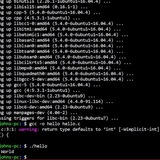
Trap not taking effect in POSIX script
In this script I launch vim opening a temp file in the terminal window. If the terminal window is closed with vim running, the temp file should be deleted. Closing the terminal window should also kill vim process.
However, closing the terminal window doesn't remove the file and the vim process lingers when the terminal window is closed. If I remove the trap command, then the vim process will terminate as expected but the temp file will of course remain.
Any ideas? I have exec sh -c because for some reason without it, vim process lingers when its terminal window closes.
https://redd.it/1evoe9l
@r_bash
Interpolation and sed!
I hope this helps somebody, like it did for myself, last week.
I love this shit. And I am always happy to share/ read contructive critiscism.
I got tasked with a set of instructions, under immense pressure, the other day.
I needed to edit a 20k line file, and was told it needed batching into many, 100 line files, to avoid deadlocking our DB whilst running the finished article. In total, we were deleting millions of duplicate rows, with specific IDs. I also needed to add a comma, at the end of each newline (so far, no sweat). So I did for i in x*; do cat "$i" | tr \\n , >> $i.new;
I then batched that file, into many smaller ones, running split -l 100 FILE.txt. The newly created batched files then had naming conventions like, `xaa.new`, `xab.new` etc.
But, after I had done this, I discovered that I also needed to remove the very last comma in each file. This is so that the syntax is accepted by MySQL. So I did - for i in x*; do sed -e '$s/,$//' "$i" > "$i".new.
Then, here's the interpolation... courtesy of my wise and all-knowing colleague, who just happened to shoot me a message, making sure I was ok. I was stuck on how to run the MySQL statement, using the content in all my files. I was also very nervous, at this point. We ended up writing, for i in x*; do mysql databaseName -vvv -e "DELETE from table where table_id in ($(cat $i))" >> /home/userName/incidentNumber/output.sql after we had tested SELECT statements, echo'ing output (without any MySQL) and had it approved by all stakeholders.
I felt very accomplished, as I always do when I learn something new, and needed a little nudge to get over the line, in the end. But my goodness, it was such a rush! I hope someone finds this useful and/ or interesting. I know I did.
https://redd.it/1evju1s
@r_bash
Bashtutor - interactive bash tutorial
I wrote a minimal framework for creating CLI obstacle courses.
Currently there is one "module" which is for Bash itself.
While its a proof of concept, I attempted to make it entertaining and smoothen the edges as much as I could.
The main inspiration was vimtutor and how I would have liked something like this back when I was starting out.
https://github.com/agvxov/bashtutor
I'm hoping it will be useful to someone somewhere.
https://redd.it/1ev6ex5
@r_bash
what is an "option" in bash? and how is it different the other arguments?
so i understand what an argument is, i understand that an option is a type of argument,
but what i don't understand is how an option is different then other types of arguments
can someone explain it to me?
thank you
https://redd.it/1eujcim
@r_bash
More fun with jq, getting results into a usable array
I'm using this in a cURL to get the data from `result[]`:
foo=$(curl --request GET \
--silent \
--url https://example.com \
--header 'Content-Type: application/json' | jq -r '.result[]')
When I print $foo, this is what I have:
[key]
default
firewall_custom
zone
34
[
{
"id": "example",
"version": "6",
"action": "block",
"expression": "lorem",
"description": "ipsum",
"last_updated": "2024-08-15T19:10:24.913784Z",
"ref": "example",
"enabled": true
},
{
"id": "example2",
"version": "7",
"action": "block",
"expression": "this",
"description": "that",
"last_updated": "2024-08-15T19:10:24.913784Z",
"ref": "example2",
"enabled": true
}
]
What I need from this is to create a loop where, in a series of addtional cURLs, I can insert action, expression, and description.
I'm imagining that I would push these to 3 separate arrays (action, expression, and description), so that ${action\[0\]} would coincide with ${expression\[0\]} and ${description\[0\]}, and so on.
Something along the lines of:
# assuming that I have somehow created the following arrays:
# action=("block" "block")
# expression=("lorem" "this")
# description=("ipsum" "that")
for x in ${action[@]}; do
bar=$(curl --request GET \
--silent \
--url https://example.com \
--data '{
"action": ${action[$x]},
"expression": ${expression[$x]},
"description": ${description[$x]}
}' | jq '.success')
if [[ $bar == true ]]
then
printf "$x succeeded\n"
else
printf "$x failed\n"
fi
# reset bar
bar=''
done
The question is, how to create action, expression, and description arrays from the results of $foo (that original cURL)?
https://redd.it/1euba4a
@r_bash
Limit developers from running a command in command line in a project
We have a fresh Cloudflare worker Typescript project in which we currently use wrangler deploy --production command to deploy to production worker.
We want to disable using that command locally and enable it only on the CI/CD pipeline (Github Actions). The problem is that Cloudflare doesn't offer any kind of permissions to do that, except fully limitting developers from accessing Cloudflare by deleting their accounts, and obviously we don't want to do that.
Is there a way of using a bash script to accomplish this? And have that script fully executable for any developer who would have it locally in the project (git commited to the repository)?
I am fairly new to bash, so I'm not even sure I asked the right question, but I'd say you get the jist.
Also we are open to any other ideas to accomplish this.
Thanks
https://redd.it/1etywgb
@r_bash
[error] guys i think i broke bash in a way never before seen
https://redd.it/1etq4eu
@r_bash
Using read -p to prompt bold variable with ANSI escape codes?
Hi,\
As the title, I was wondering if it is possible to do it.\
I've tried 1
var=candy
bold=$(tput bold)
normal=$(tput sgr0)

read -p "IS ${bold}$var${normal} correct? " ans
# assuming answer yes
printf "Your answer is \033[1m%s\033[0m." "$ans"
var=candy

read -rep $'Is \033[1m$var\033[0m correct?' ans
printf "Your answer is \033[1m%s\033[0m." "$ans"
printf and read separately. Something likeprintf "Is \033[1m%s\033[0m correct?" "$var"
read ans
printf "Your answer is \033[1m%s\033[0m." "$ans"
read -p is not supported in every shell, maybe it's a good habit to not use -p.~~
tmpmail v1.1.5 now supports receiving attachments
https://redd.it/1erzodj
@r_bash
argc - Top-tier utility/framework for creating shell scripts
https://github.com/sigoden/argc
I’m not the author. Whoever it is, they are a bloody legend!
Figured I would share it as it deserves way more love.
https://redd.it/1eqvgj4
@r_bash
Is it possible to export a bash function so that it will automatically enable extglob?
I have a bash function that uses some extglob which, if used in a shell with extglob disabled, fails to parse and throws a syntax error.
In the file containing the function source code I include a
shopt -s extglob
before the function is defined so that when the file is sourced extglob is enabled before the function is defined. But, if you export the function you only get the function, not the stuff before it. And any new bash shells will try and source the exported functions on startup.
In practice, this means that if I export my function, any future invocations of `/usr/bin/bash` that dont include `-O extglob` will print an error message to screen. This happens regardless if the bash shell being started is actually calling the exported function. It still runs if that exported function isnt used (since the error is that it cant parse the function), but is annoying nonetheless.
One specific annoyance with this that I use hyperfine to benchmark this function. the way hyperfine bootstraps the shells it runs, you can either use `--shell=bash` and itll use exported functions but wont have extglob, or you can use `--shell='/usr/bin/bash -O extglob'` to get extglob but you lose access to exported functions. You can use the ladder and then source the file defining the function and then run a the function, but then it skews the benchmarking times since you are timing how long it takes to source the function as well as timing the function runtime itself.
***
At any rate, does anyone know a trick so that exported functions that use extglob will parse correctly in a bash shell that doesnt explcitly enable extglob by being spawned via `bash -O extglob [...]`???
https://redd.it/1eqfzag
@r_bash
BashScripts v2.6.0: Turn off Monitors in Wayland, launch Chrome in pure Wayland, and much more.
https://github.com/hopeseekr/BashScripts/
https://redd.it/1eqbn3p
@r_bash
Countdown timer demo with bash-boost
A few days back, I answered a question here on how to center colored text in a script which was a basic countdown timer.
While it seems simple on its face, I found it to be an interesting use case to explore some of the features of `bash-boost`.
I wrote about the interesting parts of the script here. A link to the full script is at the bottom of the README.
Hope you may find something useful from this walkthrough to use in your own scripts. :)
https://redd.it/1eq6k6s
@r_bash
How to add shell command?
I am trying to learn assembly and constantly using nasm and then linking object file is really pissing me off, so I tried to make a bash function that will take the name of .asm file and do the thing, but my limited knowledge (nearly none) of shell scripting did not allowed me to do this. function nasm64_asm() {
object_name="middle_runner"
argv1=$1
run="run_it"
"nasm -f elf64 -o ${object_name}.o ${argv1}"
"ld ${object_name}.o -o ${run}"}export -f nasm64_asm
I made it like this and every time I am trying to run it a get:nasm64_asm learning_asm.asm ▦ Programming/assembly 22:13bash: nasm -f elf64 -o middle_runner.o learning_asm.asm: command not foundbash: ld middle_runner.o -o run_it: command not found[ble: exit 127]
Tell me what do I do wrong.
https://redd.it/1epufjb
@r_bash
Output alignment help.
I have been trying to get this alignment right. As you see the Disk Info section of the output doesnt align. Im close to just leaving it lol.
output is shown in the images tab. Heres the code snippet if you want to try:
# https://pastebin.com/P58YNAKX
https://redd.it/1epo07v
@r_bash
mirror one GNU Screen session to another?
I'd like to create two screen sessions, then mirror the activity of one to another. So, if I create session_1 in one Terminal window, and create session_2 in another Terminal window, they'd look the exact same if I ran a certain program in session_1. It'd also be nice if detaching session_1 detached session_2 as well.
Is this possible using functionality built into screen, or would if be more complicated? I can't find anything about this online, so I'm guessing it's the latter.
https://redd.it/1evp3t5
@r_bash
I have written some helper scripts to simplify on-demand GNU/Linux proxy configuration
https://gitlab.com/brlin/linux-proxy-configuration-helper
https://redd.it/1ev7j98
@r_bash
GitHub - AnonAmosAdmn/OTTO-STACK-DEPLOYER
https://github.com/AnonAmosAdmn/OTTO-STACK-DEPLOYER
https://redd.it/1euwj08
@r_bash
Tab-completion for a command name
I have two custom commands: play-music and play-video. I want to write a bash script that allows me to autocomplete these commands when I press TAB.
For example:
$ play<TAB>
play-music play-video
$ play-vi<TAB>
play-video
I’ve found a tutorial on creating a bash-completion script, but it only works for command arguments. How can I achieve this for the command names themselves?
https://redd.it/1eugy51
@r_bash
Any tricks to not have to escape a quote?
I have a pretty lengthy cURL that looks something like this:
--data '{
"description": "Foo",
"expression": "this is csdude\'s, it has \"this\", \"that\", and \"the other thing\""
}'
The real one is much longer; the longest is about 3800 characters, and there are 5 of them called in the bash script.
For the sake of easier coding and minimizing typos, is there a way to NOT have to escape all of the inner quotes?
I tried surrounding it with `, but that just threw an error :-/
https://redd.it/1eu9je9
@r_bash
how do i alias cowsay?
hello, i would like to take the command "cowsay" and alias so every time i type in "endvideo" into the terminal the cowsay command pops up and spits out
"like comment share and subscribe!"
how would i do this?
thank you
https://redd.it/1etti1j
@r_bash
Configuration in bash?
I have this piece of code in Python:
URLVARIANTS = {
'barstool': {
'baseurl': 'mcepl@shell.eng.rdu.redhat.com:publichtml/',
'targeturl': 'http://file.rdu.redhat.com/~mcepl/',
'shortenapi': 'https://url.corp.redhat.com/new?'
},
'wotan': {
'baseurl': 'wotan:Export/',
'targeturl': 'https://w3.suse.de/~mcepl/'
},
'tmp': {
'baseurl': 'fedorapeople.org:publichtml/tmp/',
'targeturl': 'https://mcepl.fedorapeople.org/tmp/',
# 'shortenapi': 'http://is.gd/create.php?format=simple&url='
'shortenapi': 'https://da.gd/s?url='
}
}
curconf = URLVARIANTSsite
# now I am using curconf['baseurl'] etc.
How to rewrite it in bash? Yes, I know about https://linuxsimply.com/bash-scripting-tutorial/array/array-of-arrays/ but the whole is so incredibly finicky and crazy, that I haven’t managed to pull it off (could somebody rewrite this example in the pure sh/bash?). The only alternative I could come up with is to make URL_VARIANTS a string contain JSON object, and then to use jq to separate requested values, but that sounds as a potential PITA as well.
Any thoughts?
https://redd.it/1esg0b3
@r_bash
What does - and -- mean in bash?
I've come across scripts that use - or -- for arguments and it's never really explained what they do. What's it called and what's the usage?
# example using -
curl -fsSL 'some_url/install.sh' | env ENV="${HOME}/.bashrc" bash -

# example using --
command -- arg1 arg2
How to learn shell scripting?
I have basic / intermediate knowledge of command line and would like to learn how to use shell scripting. Are there websites or resources that provide problems that I can try and solve? I am also interested in shell scripts for HPC so I was wondering what area I should focus on here.
https://redd.it/1erft7a
@r_bash
Formatting and mounting a flash drive via the terminal, not the UI
I'm issuing the following commands to format a 512GB flash drive:sudo fdisk -l # fetch device ID (/dev/sdc1)sudo umount /dev/sdc1sudo mkfs.exfat -n USB-256GB /dev/sdc1
The output from the last command indicates that the flash drive was successfully formatted. How can I mount that device w/o having to select the device in the file explorer? I'd like to accomplish this using only the terminal.
https://redd.it/1eqgrco
@r_bash
How to restart a 'man' process?
I'm writing a troff manual, I want a process to watch for changes and compile and open it with 'man'.
But I'm having issues, I'm currently using this script :
inotifywait -q -m -e close_write --format %e ./test.man| while read events; do man ./test.man;done
The problem is that since man need to quit before the next change detection starts, I need to know a way to :
1 - watch for file change
2 - open the file using man (even if a man is already running)
Note : I want to replicate how I work with latex and mupdf, since all it takes is to restart a mupdf process is `pkill -HIP mupdf`
https://redd.it/1eqehuy
@r_bash
I need 2 MacOS Shell/zsh/bash(idk) scripts, clean folders up, and paste new files into folders, willing to pay
Hi, I need 2 scripts:
- a script to put all files of a folder into a "used" folder. I have 80 folders where this needs to get done, hence i need a script. There may already be a "used" folder, but if it does not exist yet, create it
- a script to paste 20 new files into all 30 folders
I found this https://discussions.apple.com/thread/253031808?sortBy=rank but it's not exactly what i need
Can someone help me? I'm willing to pay 🙏 And Yes you can share the script publicly, you can also put it on your GitHub of course. So maybe it will help others too
Maybe we should make a small MacOS App out of it? Idk if automator is enough for it. tbh i got 0 experience with automator
I have M1 macbook
Thank you so much!!!!❤️🙏🙏🙏❤️❤️
all folders have the same parent folder & source is in same place in a folder.
But i do the task for different folders and sources so i can’t solve this by hardcoding paths
What I want is a drag&drop solution, or a solution where the finder selection pops up and i have to select the files
I can’t do it by path cuz this is a weekly task with always different paths
https://redd.it/1eq7lih
@r_bash
What does peace of mind look like for a shell/Terminal layer software developer /programmer?
Asking for a brother who is building tools to help other shell/Terminal layer programmers. Thank you.
https://redd.it/1eq03uz
@r_bash
Avoid cut words in long sentences
Using "cat" I often find myself having words cut off if the words are part of a sentence longer than the width of the terminal (on average 80 characters).
Is there a way to get a new line to the last blank space before the sentence reaches the edge of the window?
Thanks in advance.
EDIT: it seems that the command fold -sw 80 ./file did the trick
I'd like to know your solutions instead.
https://redd.it/1eps3r5
@r_bash
How to detach running process from the terminal?
Hi! My task is to show a loading indicator for some application while it's being
launched (not when after it's started). To simulate some long running program
I've written this simple script:
#!/usr/bin/env bash

sleep 10000s
gum spin {{command}}:gum spin -- bash -c './long_running_program.bash & disown $!'
gum spin hangs out and waits. How to fix


