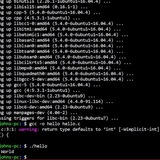
I don't understand what is going on here.
I have a script that parse command line for flags that modify the script behaviour.
By accident, I typed invoking the script on cmd line with "=v" instead of "-v" and for my surprise, looks like its breaks getopts somehow because looks like that none of flags are processed in the `while getopts` loop:
```
....
set -o errexit -o nounset -o noclobber -o pipefail
trap go_exit EXIT SIGHUP SIGQUIT SIGTERM
export LC_ALL=C
...
while getopts "s:d:r:hnv" OPTION; do
case $OPTION in
s)
f_src=1
src="${OPTARG}" ;;
d)
f_dst=1
dst="${OPTARG}" ;;
r)
f_regex=1
regex="${OPTARG}" ;;
h)
usage ;;
v)
f_verbose=1 ;;
n)
f_dry=1 ;;
:)
echo "Option -${OPTARG} requires an argument." > /dev/sdtderr
usage
;;
?)
echo "unknow argument." > /dev/sdtderr
usage ;;
esac
done
# sanity checks
if [ "$f_src" == "0" ]; then
echo "Usage: the source folder must be specified." > /dev/stderr
usage
fi
```
All sanity checks that test the f_whatever=0, succeed (as f_whatever are all equal to 0, but it shouldn't as I am passing -s, -d, -r, -n.... - except instead -v it is =v)
Another question related to `set -o errexit .. trap go_exit EXIT `:
If there is any error during the execution the program simply call the go_exit as intended.
How to I get a feedback of which error generated the TRAP and where ?
https://redd.it/18jnvok
@r_bash
Background Processes kept running after exiting
Hi all, first time poster here. Hope this is the right place. I was ssh’d into a server that I work on, where I was running a few processes in the background like this
- ./script &
I accidentally exited the server, and thought the processes would have ended. But they kept going and seemingly finished. Why is that? Can I trust that everything was done right? Thanks!
https://redd.it/18j0h5u
@r_bash
What sed delimiter to use when all are being ued in my variable?
i have a txt file with a bunch of youtube video titles (alot of witch contain / , # , | ... and pretty much all special chars i can think of) i then need to add that to a second file (at the beginning of the second file) useing sed -i "1s/ ( here goes that video title) /" (the second txt file) . Should i maybe use something else than sed?
To specify my situation: i loop trough all lines in the first txt and if that youtube title does not exist in the second file i add it to the beginning of the second file with sed -i "1s/ $(that line as a varibale) /" second_file.txt
https://redd.it/18iwi2y
@r_bash
How to grep a word where I only know the beginning and end of the word?
Let's say I have a long text and I want to find words that start with a and end with n. I thought I could simply grep -o a*n but this will get me no results, even tho those words exist. I guess grep tries to find a three letter word that is a * and n. What can I use here to express an unknown string in between the a and n?
https://redd.it/18imi6b
@r_bash
TIL to continue too
So I have this wee app (bash function), gsi, which loops through files in a git clone, offering actions on each. And it showed me the dir fred/ today.
I do ignore fred.* files in git, but I don't ignore fred/ dirs, could be intersting stuff in them.
But I still don't want to see them in this app, they're not often inetresting.
So I asked the GPT how to add my own ignores list, and it suggested
declare -a CUSTOMIGNORES=("fred" "." "*.cd")
for file in $(gitstatuslinedirchanges); do
[ -f "$file_" ] || continue
git check-ignore -q "$file" && continue
for ignore in "${CUSTOMIGNORES@}"; do
[ "$file_" == *"$ignore"* ] && continue 2
done
done
I've been writing bash for 30+ years, I never knew you could continue 2.
HTH you next week, ...
https://redd.it/18if7qa
@r_bash
ffmpeg and stdout vs stderr
Hi there...
I am aware that ffmpeg outputs everything on screen to stderr. I know how to make it output to stdin, but what I actually want is only the progress stats to output to stdin. Does anyone have an idea on how to accomplish this?
https://redd.it/18i8zpn
@r_bash
Hacky bashy way to restart a server when frozen?
Whenever a tomcat server inside linux is frozen(by frozen, I mean stops printing logs and gets stuck), I want to restart it, automatically.
What is a bashy way to do it?
https://redd.it/18i1mij
@r_bash
Join 2 Bash Arrays in Json using jq
I have two bash arrays.
COLORS=(blue yellow)
FOODS=(cheese ham)
I would like to use jq to combine the two arrays into json that looks something like this.
{
"blue": "cheese",
"yellow": "ham",
}
Or even this
{
"blue": "cheese"
}
{
"yellow": "ham"
}
If not possible I could make it work this way as well, although this would be less preferred.
{
"key1": "blue",
"key2": "cheese",
}
{
"key1": "yellow",
"key2": "ham",
}
Any thoughts on how to do this? Thanks!
https://redd.it/18hmyuv
@r_bash
Just wrote a quick & dirty Bash script for debugging a TetherFi issue, what do you think?
The following is a quick and dirty script I wrote to help debug a TetherFi issue:
<https://gitlab.com/brlin/tetherfi-debugging-utils/-/blob/v1.0.2/measure-time-between-switching-tetherfi-to-background-and-the-proxy-service-stops-working.sh>
Previously I posted a portion of my script for review and the reception is generally quite well, so here's my second attempt! :3
https://redd.it/18hfyp1
@r_bash
OK, I give up. I am search fail. A little grep help please.
I have a file with mostly a crap ton of lines that start with "http".
There are a few lines that start with an English word. A few of those lines are followed by another line which also starts with an English word.
I'd like to grep, or whatever, and get all of the lines that start with a word and are followed by a line with a word, but I only want the fist line displayed in result. eg..
heading
subheading
http..bla...
http..bla...
http..bla...
subheading
http...bla
heading
subheading
http.. bla..
I just want all of the heading lines.
https://redd.it/18guyqu
@r_bash
Self-updating, Discord installer script, for Debian Based OS's
The flow of the script is shown below.
1. If an update is detected, update the master and download scripts using sed.
2. If no update is detected, keep the master and download scripts the same.
3. Once steps 1 or 2 are satisfied, run the download script to install the latest version of Discord.
4. Once step 3 is completed, delete the leftover download script.
5. Rinse and repeat as desired.
Again, the master script will also auto-update itself to the latest version.
Let me know what you guys think. It seems to run well but I love learning more efficient ways of doing things. So please, if you have some good advice do share!
GitHub - install-discord.sh
https://redd.it/18190ag
@r_bash
Get log entries after specific date and time
I'm currently getting the last 4 lines of the log with grep foo /var/log/foobar.log | tail -4
----------------------------------------
Current date/time: 2023-11-22 17:39:52
Last boot date/time: 2023-11-22 17:27:43
----------------------------------------
2023-11-22T16:30:01+11:00 foo bar
2023-11-22T16:30:01+11:00 foo bar
2023-11-22T17:34:07+11:00 foo bar
2023-11-22T17:34:07+11:00 foo bar
What I want to do is only show log entries containing "foo" that have a date/time later the last boot date/time.
This is the actual code I'm currently using:
printf -- '-%.0s' {1..40} && echo
echo "Current date/time: $(date +"%Y-%m-%d %T")"
echo "Last boot date/time: $(uptime --since)"
booted="$(uptime --since | cut -d":" -f 1-2)"
printf -- '-%.0s' {1..40} && echo
grep nvme /var/log/synoscgi.log | tail -20
​
https://redd.it/1813f7c
@r_bash
Idk how to setup bash on windows
Actually i know how to setup bash on windows but it is not working as i expected. I am trying to make a scanner tool like the other tools on kali but im on windows so it is not working. Any ideas or solutions for that problem? Thanks.
https://redd.it/180nje0
@r_bash
confusing difference in behaviour between bash test and [ ]
Hi all,
it seems I found a difference in the behaviour of the bash builtin test and [[.
$ touch foobar
$ if [ -e foo* ] ; then echo found ; fi
$ if [ -e "foo*" ] ; then echo found ; fi
$ if test -e foo ; then echo found ; fi
found
$ if test -e "foo" ; then echo found ; fi
$ type test
test is a shell builtin
$ type [
[[ is a shell keyword
$ bash --version
GNU bash, version 5.1.16(1)-release (x86_64-pc-linux-gnu)
Copyright (C) 2020 Free Software Foundation, Inc.
License GPLv3+: GNU GPL version 3 or later <http://gnu.org/licenses/gpl.html>
This is free software; you are free to change and redistribute it.
There is NO WARRANTY, to the extent permitted by law.
Apparently `[[` doesn't expand wildcards. If I got the docs right it should behave like `test` with additional operators to combine expressions, so this surprised me.
Is this expected or a weird bug/edge case? I'm just trying to understand, the `test` solution if fine for my needs.
Thx
[https://redd.it/180lnb2
@r_bash
Removing title/header bar from terminal
I'm using i3 on both desktop and laptop, I searched for different solutions on removing a title/header bar (whichever you call it, the bar with the "File Edit View Search Terminal Help" buttons) some of them being, adding these lines to my i3 config:
default_border pixel 1 #or 0
default_floating_border pixel 1 #or 0
or just
new_window pixel1
With no avail. The border on my pc still persists and with them here, i3 doesn't notify of an error with the config file. On the other note, I remember adding a line to crontab -e on my laptop (and later removing it) which seems to have done the trick. I rambled through the browsing history but couldn't find the site from which I copied the line.
I even tried straight up scp-ing the i3/config and picom.conf files from the other machine which didn't fix the issue.
​
https://redd.it/180bcqs
@r_bash
Variable substitution in a command
So I'm making this bash script that essentially transfers files from a source directory to a destination directory and organises them based on their extensions. I've completed this part but now I want to add a flag to exclude certain extensions like -e. I have done this with getopts and it's working fine.
The problem I'm encounterung is while executing the find command that gets me the file paths. I'm building the conditional string based on the input to the -e flag.
The code for this part :
declare excluded_extensions="-name '*.*'"
if [ ! "$excluded_extensions" == "-name '*.*'" ]; then
extension_string="-not \("
for ext in $excluded_extensions; do
extension_string+=" -name '*.$ext' -o"
done
extension_string="${extension_string:0:-2}"
extension_string+="\)"
fi
The logic is that I set a default value to the variable which is `-name '*.*'`. So if the user doesn't want to exclude any extensions (so the -e is not used) the variable value is substituted as is : `-name '*.*'` which means find all files in the directory. But if there are any extensions specified by the user then it builds the string and it becomes `-not /( -name ext1 -o -name ext2 /)` and so on. Then the value is substituted in the find command:
`find source_dir -type f $extension_string`
This is to get all the file paths
I've echoed the content of the command with the string based on various inputs and the value is showing up properly formatted in the terminal.
However when I run it there's an error with find :
`find:paths must precede expression : ``\('``
I know the code and method is very messy so I would really appreciate any help or even if there's a better strategy to this. Researched a lot for this problem on stack overflow, chatgpt but no answer. Thanks in advance. Kindly let me know if there's anything more that I should explain about the script, I'll gladly do so.
https://redd.it/18j79wk
@r_bash
Double brackets quirk
Hi,
While I was messing with my code, I made what I thought was a typo but it seems to work anyway.
Notice how I'm not referencing the array item with ${codei}.
codes=(101 202 303)
i=0
echo $(( codesi == 101 ))
-> 1
echo $(( codesi == 202 ))
-> 0
What am I missing here? Is it a know behavior? I couldn't find anything in the references.
https://redd.it/18ixixg
@r_bash
Curl - Collection history fzf support
Hello
Are there any CLI utility that you came across where I can do the following using Curl
\- History of the past requests
\- Store it as a collection
\- Search using fzf like utility.
If none, anyone interested to build such a thing and I can initiate a thread on that.
​
https://redd.it/18it5fk
@r_bash
Why is this bash command not doing anything on macOS?
For some reason following command doesn't work on macOS in bash. It does work on other linux machine. Any idea why it doesn't work on macOS? ~ $ du -cBG . --max-depth=1 2>/dev/null | sort -n~ $ ~ $ which $SHELL/bin/bash
Just du works.
https://redd.it/18ihhfm
@r_bash
Resizing all images in a folder, with GUI progress bar, and total size
I created a simple script that uses imagemagick to go through all files in a folder and resize them, but I wanted to improve it, since the only way to monitor the progress of the command was to actually watch the files as they changed sizes (script is saved in *\~/.local/share/nautilus/scripts* so I can access it from a right-click menu).
I also have a habit of checking the folder size before and after, because I like seeing how much space it saved after the script has run. There are two scripts I use, one to resize to 4K (4000px on long edge), and one to resize to 1920 on the long edge.
I learned about *zenity* yesterday, and spent a few hours going through documentation and experimenting with the results. I don't have anyone else to share it with, so here it is!
#!/bin/bash
DIR="."
SIZE_ORIG=`du -h . | cut -f1`
# Starting Count
PROGRESS=0
NUMBER_OF_FILES=`find $DIR -maxdepth 1 -type f -name "*.*" | wc -l`
(for file in *.*; do
PROGRESS=$(( PROGRESS+1 ))
SIZE=`du -h . | cut -f1`
echo "# Resizing $file ... ( $SIZE_ORIG → $SIZE )"
mogrify -resize "1920x1920>" -quality 90% $file; sleep 0
echo $(( 100*$PROGRESS/$NUMBER_OF_FILES ))
done) | zenity --progress --width=420 --title "Resizing "$NUMBER_OF_FILES" files..." --percentage=0
The result looks like this:
​
https://preview.redd.it/mek0ykrts96c1.png?width=789&format=png&auto=webp&s=846aea13d344c3dee04e296c1e98e22c8671abfd
https://redd.it/18i9upl
@r_bash
Run a command as a non-root user when logged in as root
I have a script that requires root privileges and I don't want to hard code sudo (or doas) in the script. Thus, I run the script with sudo. So far, so simple.
However, some commands in the script have to be run as a non-root user. Is there a way to accomplish this?
https://redd.it/18i8a1r
@r_bash
Receive notification at SSH Login
Hi all!
I have a new machine on which I have set up an SSH server. I wanted to setup a little script so that I can receive a Telegram notification upon login. Following a few online guides I have put together the following script:
#!/usr/bin/env bash
TELEGRAMTOKEN="MYTOKEN"
CHATID="MYCHATID"
# Build the SSH login message
SSHMESSAGE="SSH login detected on $(hostname) at $(date) by user $(whoami) from $(echo $SSHCONNECTION | awk '{print $1}')"
# Send the message to Telegram
curl -s -X POST "https://api.telegram.org/bot$TELEGRAMTOKEN/sendMessage" \
-H 'Content-Type: application/json' \
-d '{"chatid": "'"$CHATID"'", "text": "'"$SSHMESSAGE"'"}' > /dev/null 2>&1
How can I have this running at each SSH login without interfering with the process? I had this set up in the past by modifying the SSH configuration under etc/ssh/sshd_config with
ForceCommand /usr/local/bin/sshloginnotify.sh; CANT REMEMBER
The command in the square bracket was added because initially the script would run at login, and log me out immediately after, but I can't remember how I had fixed that.
Ultimately however, completely removed the ForceCommand as it would not let me work remotely using Remote SSH login with Vscode.
Any help on how to set this up properly is highly appreciated, and sorry for my scarce knowledge, I am just getting into this!
https://redd.it/18hmv25
@r_bash
I want to "cat" some files with unknown names and a small pause in between
This can easly be explained with an example.
I have a directory with several txt files: 1.txt 2.txt 3.txt and I want to read 1.txt, then press enter and read 2.txt, press enter and read 3.txt. Instead of pressing enter I currently just use sleep 5, but I know how to change that later. However, the names are not 1 2 3 but something else I don't know, because I want to use this skript in several directories with different content.
​
Problem (or better said challenge, since there are no problems):
When I type cat *.txt it will display all .txt files, but I cannot read that fast. I would like to do something like cat 1.txt; sleep 5; clear; cat 2.txt; sleep 5; clear; cat 3.txt; just without typing every filename in there. Is there a way to read the contents of a directory and fill this out automatically?
https://redd.it/18hllm1
@r_bash
Techniques and methods for obtaining access to data protected by linux-based encryption – A reference guide for practitioners
https://www.sciencedirect.com/science/article/pii/S2666281723001816
https://redd.it/18h9atw
@r_bash
Bash script to connect external m.2 on pi 5
Hi,
I'm running emby media server (https://emby.media) in docker on a pi 5.
The pi5 OS is usb boot, the media is on two m.2 drives in caddies, one 1TB the other 2TB.
The issue is that (despite being in fstab), the 2TB btrfs drive needs manually unplugging / replugging to be mountable upon reboot.
Naturally, this sucks. So, I wrote a small bash script to emulate unplugging/replugging by turning the power off/on the USB port (the docker container is just named 'embyserver', the 2TB caddy is Ugreen).#!/bin/bashpath=/mnt/2tbhub=$(uhubctl | grep -B1 Ugreen | head -1 | awk {'print $5'})port=$(uhubctl | grep Ugreen | awk {'print $2'}|cut -d ':' -f1) mounted=$(cat /proc/mounts | grep $path)if [[ -z "$mounted" ]]; then# how to select on vendor anyway?uhubctl -l $hub -p $port -a 0 sleep 2uhubctl -l $hub -p $port -a 1 sleep 5 mount /mnt/2tbsleep 2docker restart embyserverfi
The script seems to do what I want, but the drive isn't mountable - perhaps despite the reporting, uhubctl isn't really powering the port off/on due to incompatibility?
Any alternative ideas?
https://redd.it/181irjl
@r_bash
Oh-My-Zsh HYPHENINSENSITIVE option in Bash
Hi, I've searched both in this sub as well as on the interwebs but I was not able to find a solution.
As the title says, is there a way to have the HYPHENINSENSITIVE omz option in Bash?
What it does is that, if you have a file called some_file, you can type some- then hit TAB and it will be auto-completed to some_file, something I find to be very handy and also speeds up my work in the terminal.
Thanks in advance!
https://redd.it/1817cgn
@r_bash
Autocompletion for any shell and any command.
​
https://i.redd.it/hb4eu1qd3u1c1.gif
Features:
* Support multiple shells: bash/zsh/powershell/fish/nushell/elvish/xonsh
* Support multiple platforms: windows/macOS/linux
* Built-in completions for 1000+ commands ([full list](https://github.com/sigoden/argc-completions/blob/main/MANIFEST.md))
* Automatically generate completion script from help-text/man-page
* Lazy completing, lower memory consumption and faster startup time
source code: [https://github.com/sigoden/argc-completions](https://github.com/sigoden/argc-completions)
https://redd.it/1811o8n
@r_bash
Delve into the world of Bash
As an aspiring programmer, I'm eager to delve into the world of bash scripting. Could you recommend a comprehensive resource that covers the full spectrum of bash scripting concepts, from beginner to advanced level?
https://redd.it/180kybu
@r_bash
Using sed to replace mismatched characters
I'm looking to contribute to an open source project, where I noticed that it prints commands like this:
<command>' and luckily the codebase is not that big, so I could manually check which are being closed by a single quote.
Where inside the echoed string, a backtick is being matched with a single quote.
I checked the bash script, and this is how it's coded. First off - is this a mistake, or just a formatting error in my terminal?
So anyway, I used grep to find all instances of \
I now want to use sed to replace the single quotes with matching ` in each bash script, but I can't get the right pattern.
The closest I got was being able to replace all single quotes with a `, but obviously I only want it where it's mismatched.
Is sed appropriate for this?
I'm ripping my hair out trying to learn the way to do it with the CLI instead of just writing a Python script.
Any pointers for how I could do this?
I'm on MacOS btw, so it's BSD sed. I've tried looking at the man pages and reading up online, but it's kinda confusing to me.
https://redd.it/180fncv
@r_bash
how do I assign sed -E 's/."url":"([^"])./\1/' to b named variable in bash
how to do
b=" sed -E 's/.\"url":"([\^"\]*).*/\\1/' "
​
it is showing errors like
​
b="sed -E 's/.*"url":"([\^"\]*).*/\\1/'"
∙
∙
∙
∙
∙
​
​
these empty spaces
​
what should i do now
https://redd.it/17ztwr8
@r_bash


